Caddy Web Server Tutorial: Architecture, Docker & Production Guide
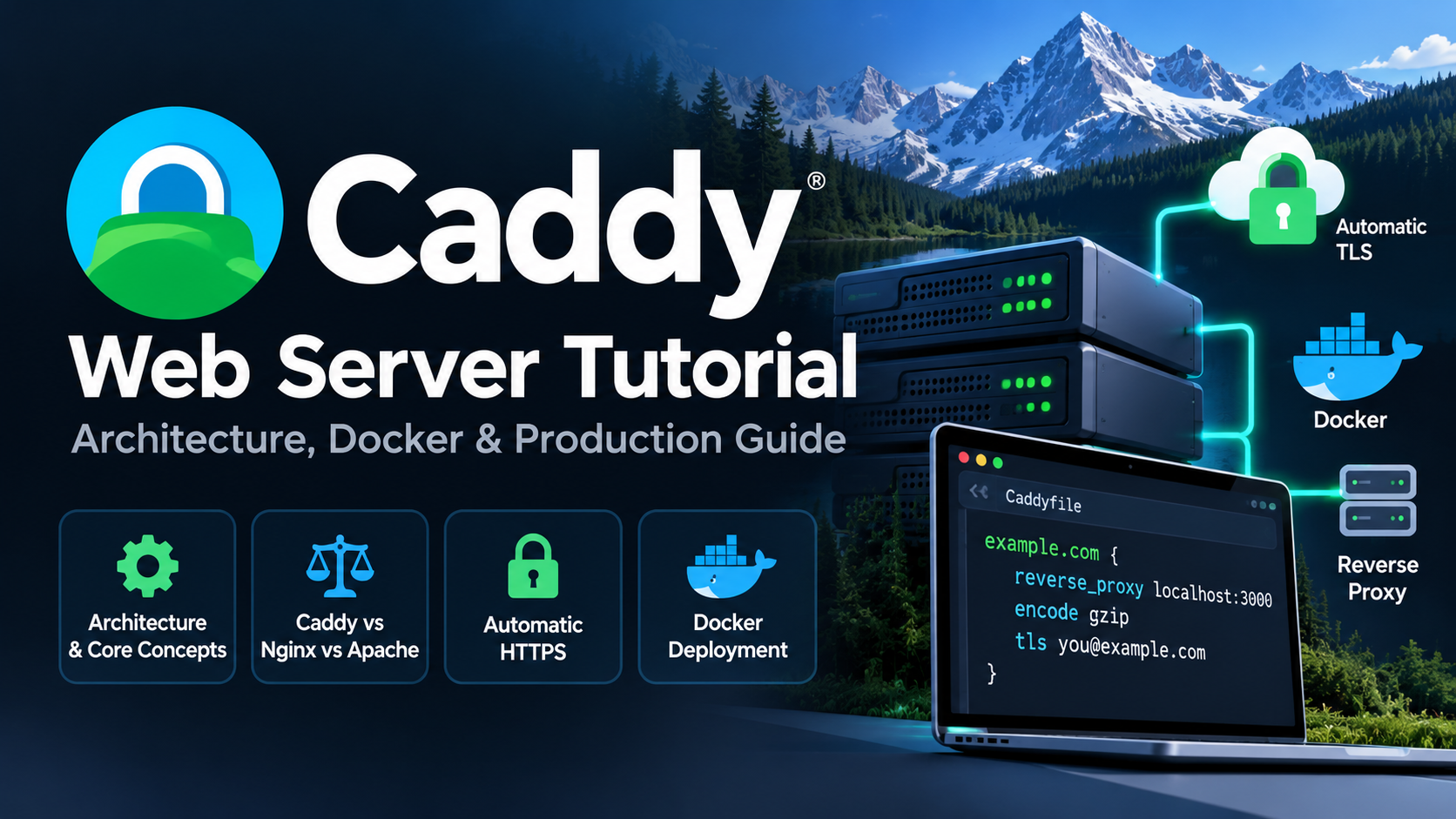
Originally published on Naveed Ahmed's Engineering Blog.
Caddy Web Server: A Simpler Way to Handle HTTPS and Reverse Proxies
If you've managed web servers in production, you've probably dealt with SSL certificate renewals, reverse proxy configurations, and the occasional deployment that breaks because of one small configuration mistake.
I've spent enough time working with web infrastructure to appreciate tools that make these tasks simpler.
That's what makes Caddy worth exploring.
Caddy is an open-source web server and reverse proxy written in Go. It offers automatic HTTPS, a straightforward configuration format, and support for modern protocols such as HTTP/2 and HTTP/3.
But the real question is whether it makes sense for production environments, especially when Nginx and Apache are already well-established choices.
Let's look at where Caddy fits and what you should know before using it.
1. What Makes Caddy Different?
One of Caddy's biggest selling points is how little configuration it needs for common use cases.
For example, suppose you have an application running on port 3000.
You can configure Caddy as a reverse proxy with:
example.com {
    reverse_proxy localhost:3000
}
That's the basic configuration.
Assuming your DNS points to the server and the required ports are accessible, Caddy can automatically request a TLS certificate and serve your application over HTTPS.
You don't normally need a separate Certbot installation or a certificate renewal cron job.
Caddy also provides:
- Automatic certificate issuance and renewal
- Reverse proxy and load balancing
- HTTP/2 and HTTP/3 support
- A simple Caddyfile configuration format
- A REST API for dynamic configuration
- Container-friendly deployment options
For developers and DevOps engineers, these features can reduce repetitive configuration work.
2. How Caddy Works Behind the Scenes
Caddy is built around a modular architecture.
It receives incoming HTTP requests, applies configured handlers, and either serves content directly or forwards requests to backend applications.
For example, a reverse proxy request might follow this path:
Client / Browser
       |
       v
 DNS Resolution
       |
       v
   Caddy Server
       |
       +-- HTTPS / TLS
       |
       +-- Request Routing
       |
       +-- Reverse Proxy
       |
       v
 Backend Application
       |
       v
     Response
Caddy also has a configuration API that typically listens on localhost:2019.
This allows configuration to be updated programmatically without restarting the entire server.
However, that API is sensitive and should not be exposed publicly without appropriate access controls.
For most applications, a Caddyfile is enough to get started.
3. Caddy vs. Nginx vs. Apache
I've worked with traditional web server configurations, and I don't think there is one perfect choice for every environment.
Nginx and Apache remain excellent options, especially when you already have established configurations and automation around them.
Caddy stands out because it simplifies common tasks.
| Feature | Caddy | Nginx | Apache |
|---|---|---|---|
| Automatic HTTPS | Built-in | Additional setup commonly needed | Additional setup commonly needed |
| Configuration | Caddyfile | Nginx configuration | Apache directives |
| Reverse proxy | Built-in | Built-in | Module-based |
| HTTP/3 | Supported | Supported in compatible builds | Depends on implementation |
| Dynamic configuration | REST API | Depends on edition/tooling | Usually file-based |
| Typical strength | Ease of setup | Flexible, mature proxying | Flexible hosting and modules |
My view is simple:
If your team already manages Nginx reliably, switching to Caddy might not provide enough benefit to justify a migration.
But for new deployments, internal services, and smaller containerized applications, Caddy is worth evaluating.
The best decision should come from your operational requirements rather than popularity or synthetic benchmarks.
4. Is Caddy Secure Enough for Production?
Security is one area where Caddy's implementation is interesting.
Because it's written in Go, it benefits from memory-safety features that help avoid certain categories of vulnerabilities associated with manual memory management.
However, using Go doesn't make a web server immune to security problems.
Misconfigurations, vulnerable dependencies, exposed management interfaces, and outdated software can still create risks.
For production deployments, I'd recommend:
- Running Caddy with minimal privileges
- Restricting access to the administration API
- Keeping Caddy and installed modules updated
- Protecting certificate and private key storage
- Configuring firewall and network access carefully
- Monitoring logs and application errors
Automatic HTTPS improves certificate management, but security still depends on how you deploy and operate the service.
5. Deploying Caddy with Docker
Caddy works well in containerized environments.
Here's a basic Docker Compose example using Caddy as a reverse proxy for a backend application:
services:
  caddy:
    image: caddy:2
    restart: unless-stopped
    ports:
      - "80:80"
      - "443:443"
      - "443:443/udp"
    volumes:
      - ./Caddyfile:/etc/caddy/Caddyfile:ro
      - caddy_data:/data
      - caddy_config:/config
    networks:
      - app-network

  app:
    image: traefik/whoami:latest
    restart: unless-stopped
    networks:
      - app-network

networks:
  app-network:

volumes:
  caddy_data:
  caddy_config:
Now create a Caddyfile alongside your Compose file:
example.com {
    reverse_proxy app:80
}
Replace example.com with your actual domain.
When both containers are connected to the same Docker network, Caddy can reach the backend using its service name.
Start the services with:
docker compose up -d
Check the container logs:
docker compose logs -f caddy
Two things are particularly important here.
First, persist Caddy's /data directory because it stores certificates and other important TLS state.
Second, make sure your domain resolves to the server and the required ports are accessible.
For predictable production deployments, I'd also pin tested container image versions rather than relying indefinitely on floating tags.
6. What I'd Check Before Using Caddy in Production
A simple configuration doesn't automatically mean a deployment is production-ready.
Before running Caddy in a live environment, I'd verify a few things.
Certificate management
Ensure certificate storage is persistent and that certificate issuance and renewal work correctly.
Configuration validation
Validate your Caddyfile before applying changes:
caddy validate --config Caddyfile
Logging and monitoring
Make sure you can inspect request logs, identify backend failures, and monitor server health.
Network security
Expose only the ports you actually need and keep the administration interface restricted.
Backend availability
Test what happens if your application restarts, becomes unhealthy, or stops responding.
These checks matter regardless of which reverse proxy you choose.
7. Is Caddy Worth Learning?
I think so.
Caddy is especially interesting if you're working with:
- Docker-based applications
- APIs and microservices
- Internal developer platforms
- Self-hosted applications
- Web services that need automatic HTTPS
- Small and medium-sized production environments
Its biggest advantage is not necessarily raw performance.
It's the amount of routine configuration and certificate-management work it can remove.
That said, I would still compare it against Nginx, Apache, or Traefik based on the specific requirements of the deployment.
📖 Read the Complete Caddy Production Guide
This post is a practical introduction.
In my full tutorial, I go deeper into Caddy's architecture, security considerations, configuration options, Docker deployments, and production operations.
The guide covers:
- How Caddy works internally
- Caddy vs. Nginx vs. Apache
- Automatic HTTPS and TLS management
- Linux, Windows, and Docker installation
- Reverse proxy and Caddyfile examples
- Security and production deployment considerations
- Verification and troubleshooting
Read the full Caddy Web Server Tutorial: Architecture, Docker & Production Guide
Final Thoughts
Managing infrastructure is already complicated enough. Whenever a tool can remove unnecessary configuration work without sacrificing flexibility, I think it's worth investigating.
That's where Caddy makes a strong case.
It doesn't mean Nginx or Apache are outdated, and it doesn't mean Caddy is the right solution everywhere.
But for applications that need a simple reverse proxy with automatic HTTPS, it deserves a place on your shortlist.
Have you used Caddy in production, or do you prefer Nginx, Apache, or Traefik?
I'd be interested to hear what you've learned from running these tools in real environments.
About the Author
I'm Naveed Ahmed, a Lead DevOps & Platform Architect, sharing practical knowledge about Linux, DevOps, cloud infrastructure, Docker, Kubernetes, and production engineering.
You can connect with me and explore more of my work:
- 🌐 Portfolio & Production Systems
- ✍️ Engineering Blog
- 🐙 GitHub
- 🛠️ 970+ SRE Interview Scenarios
- ☸️ Kubernetes Mastery Path
- 📬 DevOps Dispatch Newsletter
Thanks for reading!
About the author
- Senior DevOps, Cloud & Site Reliability Engineer at DigitalOcean. I write about modern container orchestration, Linux systems, and cloud-native architecture. Explore my guides, architectures, and portfolio: • Website: https://naveedkumbhar.com • Resume: https://cv.naveedkumbhar.com • Blog: https://blog.naveedkumbhar.com • Newsletter: https://news.naveedkumbhar.com
Comments
Join the discussionNo comments yet. Be the first to comment.